For families · 4 min read
The Best Shared Family Calendar App: Free Options Compared
The free shared family calendar apps compared: Google, Apple, Cozi, TimeTree, FamilyWall and Harmony, with chores and the shopping list beside the dates.

Quick answer
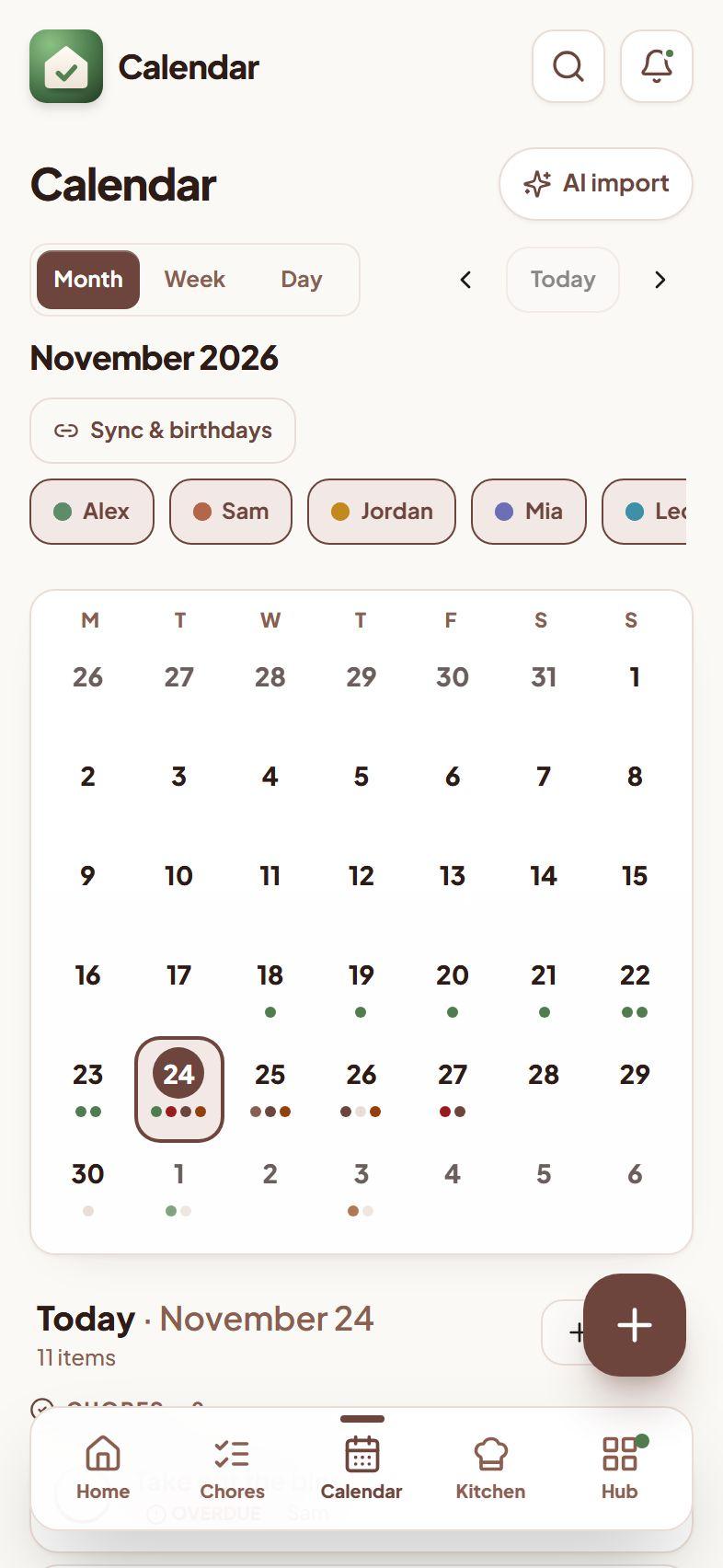
A shared family calendar works when everyone can see it, everyone gets the reminders and it sits next to the rest of family life. Harmony’s free calendar does that: school, practice, appointments and birthdays go in one place with reminders on every phone, it also shows up in Google, Apple or Outlook Calendar, and the chores and shopping list live in the same app, with no ads. Harmony Plus (US$6.99 a month for the whole household) adds AI calendar import and up to 10 outside calendars.
Free shared calendar apps, compared
Most families pick from the same handful of free calendar sharing apps. They all share events; the difference is what else they do and what the free version leaves out. Checked against official help pages and store listings in November 2026 — apps change, so check the current listing before you decide.
- Google Calendar: free, and a Google family group gets a shared “Family” calendar that every member can add to and edit. Events only — no chores or shopping list.
- Apple Calendar: Family Sharing creates a shared “Family” calendar on everyone’s Apple devices. Best when the whole family uses iPhones.
- Cozi: a family calendar with shopping and to-do lists. The free version shows ads; Cozi Gold removes them.
- TimeTree: a calendar built for sharing, with comments on events. Free with ads; TimeTree Premium removes them.
- FamilyWall: calendar, lists and family messaging. Free with ads; Premium removes them and adds Google and Outlook calendar sync.
- Harmony: a free shared calendar with no ads, with chores shared fairly by effort, one shopping list, meals and bills in the same app — and it shows up in Google, Apple or Outlook Calendar.
What to look for in a family calendar app
- One calendar everyone in the home can see and add to
- Reminders on every phone, not just for the person who added the event
- It works with the calendars you already use: Google, Apple or Outlook
- Room for the school or work calendar next to the family one
- Chores and the shopping list in the same place, so the week is planned in one app
- No ads
How Harmony’s family calendar works
Add school, practice, appointments and birthdays to the shared calendar, and everyone gets a reminder on their phone. Chores sit on the same calendar, so a busy evening is visible before anyone plans it. Harmony’s calendar also shows up in Google, Apple or Outlook Calendar, so nobody has to change apps to check the week.
School, work and sports calendars
On the free plan you can bring in one outside calendar, such as the school calendar. With Harmony Plus you can bring in up to 10 — school, work and sports — and AI calendar import reads a school letter or email and adds every date for you.
Google Calendar or a family app?
Google Calendar is good at sharing events, and Harmony works alongside it rather than replacing it. What a family app adds is everything around the dates: who is doing which chore, what’s on the shopping list and what’s for dinner. If your calendar already lives in Google, Apple or Outlook, keep it — Harmony’s calendar shows up next to it.
What else the free plan covers
- Chores shared fairly by effort and age, with a live fairness score
- One shopping list that updates on every phone the moment someone adds or ticks something
- A shared meal plan and a recipe box of up to 10 recipes
- Kid mode with points, streaks and up to 3 rewards for 1 kid profile
- Bill splitting with settle-up
- No ads, ever, and your data is never sold
Getting the family on one calendar
- 1Create your home and invite the other adults with the 6-character code.
- 2Add the dates coming up this month: school, practice, appointments and birthdays.
- 3Bring in one outside calendar, such as school or work.
- 4Show Harmony’s calendar in Google, Apple or Outlook Calendar if that’s where you already look.
Which shared calendar should you choose?
If your family only needs to see the same dates and everyone already uses Google or iPhone, the calendar you have is enough: use the family calendar it already gives you. If the calendar is one of several apps — a list here, a chore chart on the fridge, a group chat for who’s picking up whom — choose an app that keeps the week in one place. That’s what Harmony is for.
Plans and pricing
Most of Harmony is free for good, with no ads. Every new account gets its first month of Harmony Plus free — no card needed — and nothing you save is ever deleted if you don’t carry on.
- Free — US$0, forever: unlimited chores and repeating schedules, fair rotation by effort and age, a live fairness score, the shared calendar and shopping list, pantry, meal plan, bill splitting, house chat, check-ins and the secure vault, for up to 3 adults plus guests and 1 kid profile.
- Harmony Plus — US$6.99 a month for the whole household: all the AI (receipt scanning, meal ideas and recipes, Auto-plan, Balance my week and meal swaps, calendar import, room scan), the world food menu with nutrition, the kitchen display, one-tap Rebalance, chore swaps, vacation mode, every adult in the home, up to 12 kid profiles, unlimited rewards and allowance.
- Harmony Plus yearly — US$69.99 a year for the whole household: about two months free compared with paying monthly.
Frequently asked questions
Is there a free calendar sharing app with no ads?
Yes. Google Calendar and Apple Calendar are free with no ads, and so is Harmony’s Free plan, which adds chores, a shopping list and bills next to the calendar. Cozi, TimeTree and FamilyWall have free versions with ads and paid plans that remove them.
What is the best shared calendar app for couples?
For a couple, any calendar both of you check will do. Harmony suits couples who also share chores and bills, because the calendar, the chore split and the shopping list are in one free app, and it still shows up in Google, Apple or Outlook Calendar.
What is the best free shared family calendar app?
Harmony is a strong free choice: its shared calendar has reminders on every phone, shows up in Google, Apple or Outlook Calendar, and sits next to the chores and the shopping list in the same app, with no ads.
Does Harmony work with Google Calendar?
Yes. Harmony’s calendar shows up in Google, Apple or Outlook Calendar on the free plan, and you can bring one outside calendar into Harmony, such as school or work (up to 10 with Harmony Plus).
Can Harmony add dates from a school letter?
Yes, with Harmony Plus. AI calendar import reads a school letter or email and adds every date to the family calendar for you.
Does Harmony work on iPhone?
Yes, through the browser on iPhone and iPad. There are apps for Android (Google Play) and Windows (Microsoft Store), and everything stays in sync across phones, tablets and computers.
How much does Harmony cost?
The Free plan costs nothing, forever. Harmony Plus costs US$6.99 a month or US$69.99 a year for the whole household, and every new account gets its first month of Plus free, no card needed.
Related guides
Put this into practice with Harmony
Fair chore rotation, a shared grocery list, and meal planning — free to start, set up in under a minute.
Get started free